
MaxxLaunch™
The digital front door of Outcome Cloud™
MaxxLaunch™ is the digital experience engine of the Outcome Cloud™ Platform — the “MaxxLaunch Engine” that turns forms, portals, and guided experiences into business outcomes. Every customer application, every intake form, every document collection portal, every e-signature request: designed once, launched everywhere, connected directly to the workflows and repository behind it.
The problem
The first impression most organizations make is a PDF attached to an email — or worse, a paper form. Customers abandon clunky applications, employees retype what applicants already wrote, and signed documents land in inboxes instead of systems. The front door of the business is where deals stall and data quality dies.

- Launch experiences that convert — guided digital forms, customer portals, and application journeys designed to be completed, not abandoned.
- Collect documents at the source — supporting files, IDs, and evidence uploaded with the submission, checked against a document checklist before it ever reaches your team.
- Sign and seal the deal — digital signature sign-off built in, so agreements execute inside the experience instead of in a separate tool.
- Connected to everything behind it — every submission lands in Outcome Repository™, launches the right Outcome Workflows™ process, and feeds Outcome Analytics™. No retyping, no swivel-chair.
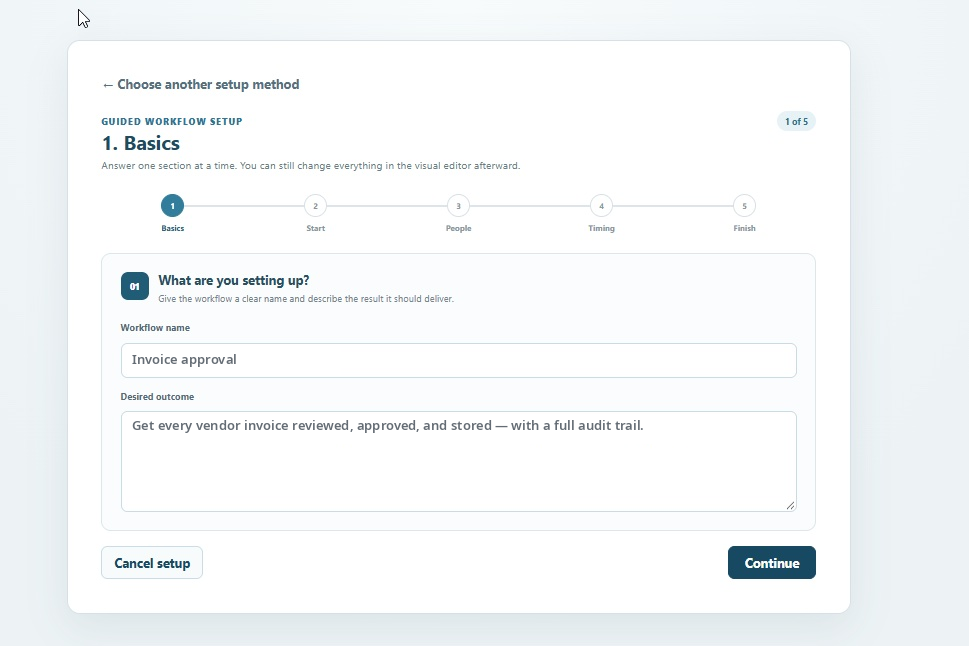
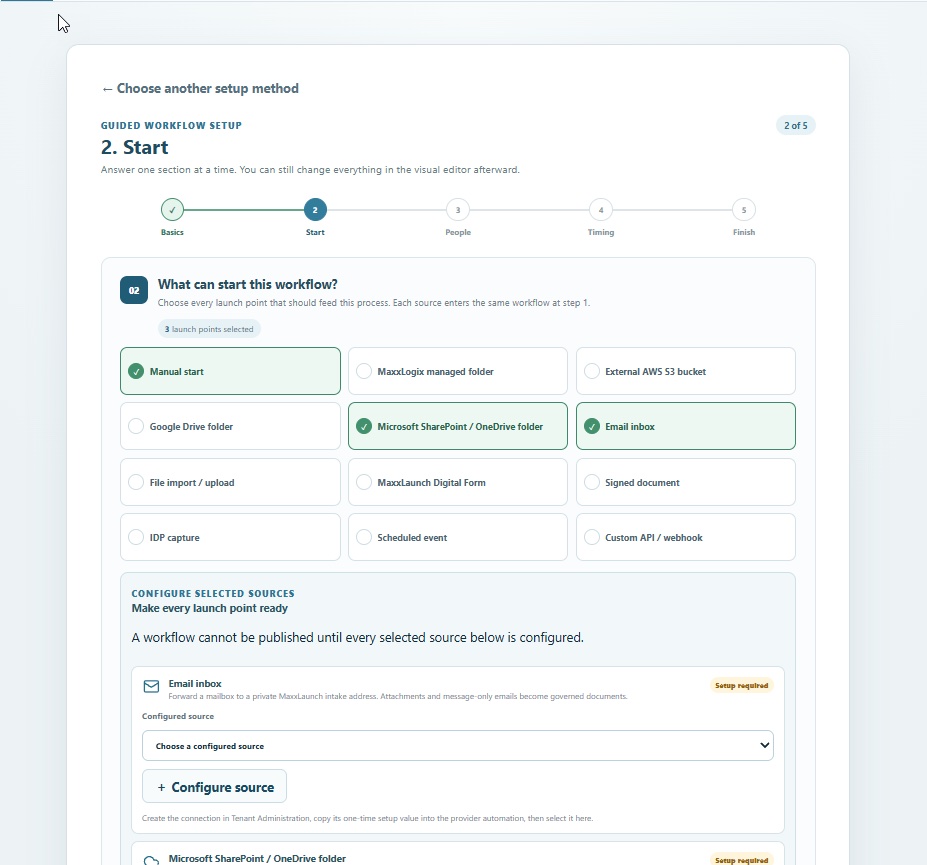
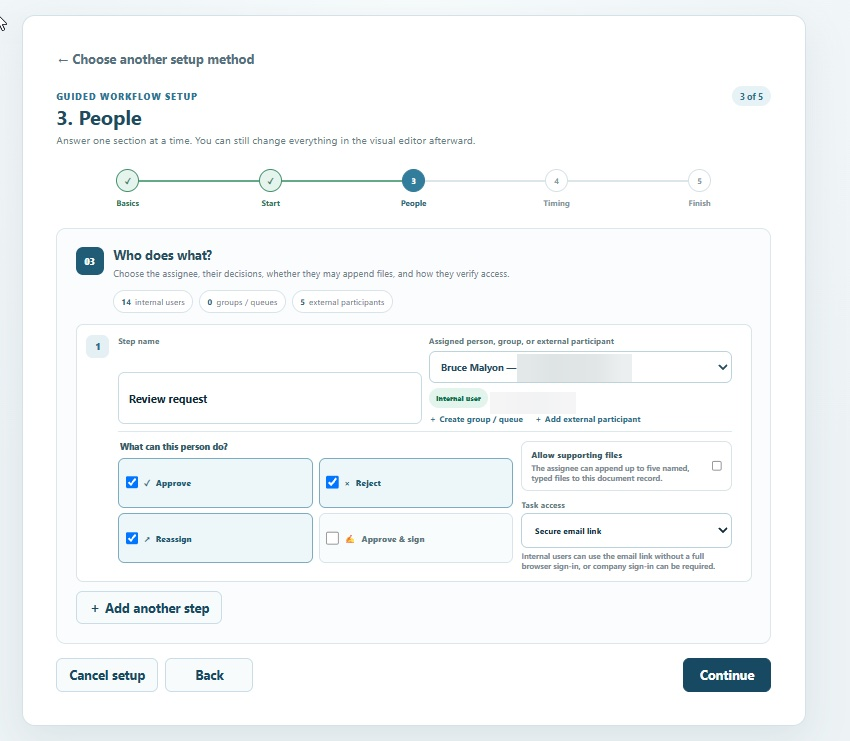
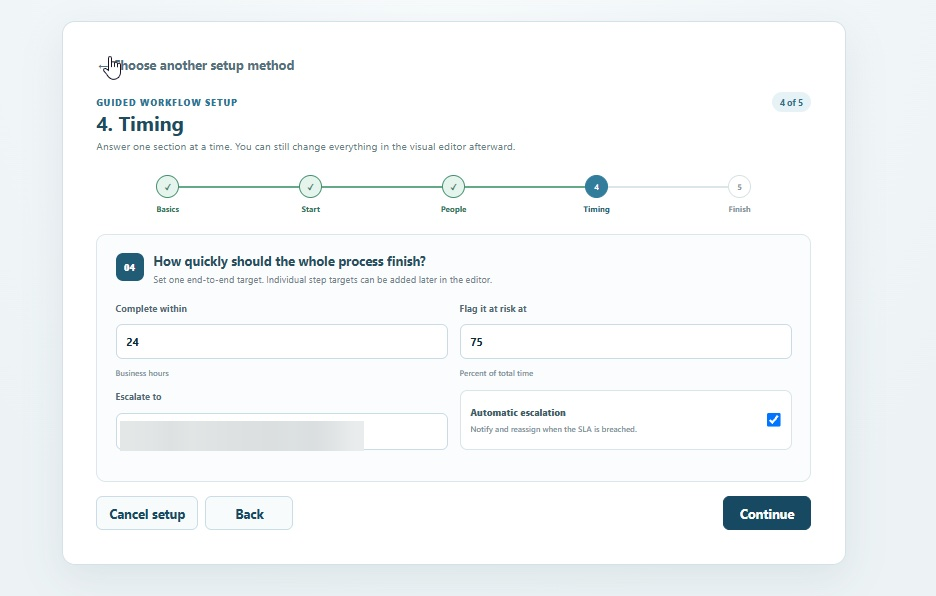
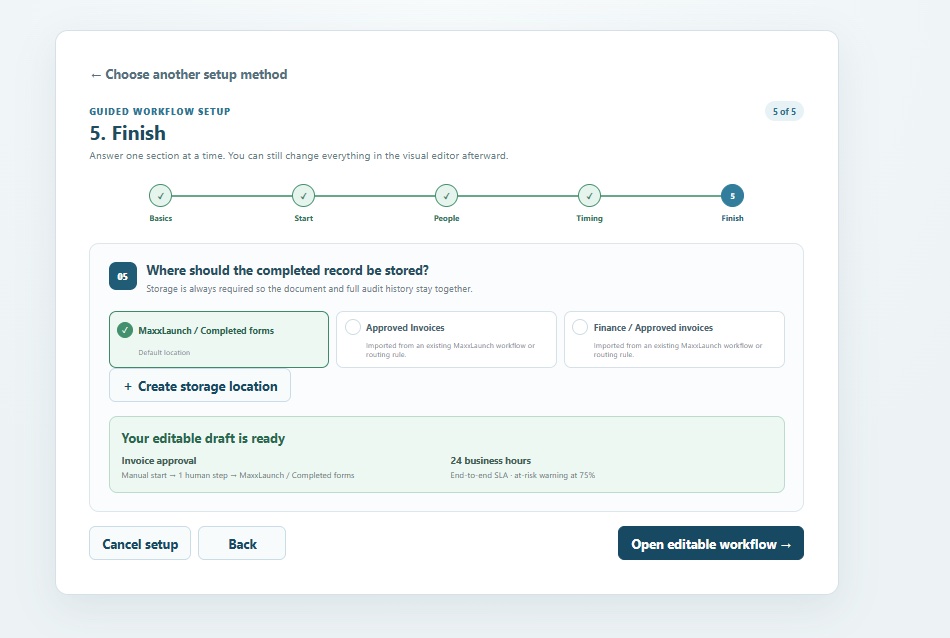
Designing a guided experience takes five steps
The Workflow Wizard walks every form, portal, and guided experience through the same five steps — designed once, launched everywhere.
Proof point
MaxxLaunch™ is always enabled — it’s part of the platform’s foundation on every Outcome Plan, alongside Repository, Workflows, Analytics, and Workspace. The digital front door isn’t an add-on module; it’s how Outcome Cloud™ meets the world.
See it in action
Launch a guided experience your customers will actually finish. Contact us →